 Blog
Blog
Online Shop Build: A Complete Guide to Creating Your E-Commerce Business
Introduction
There are many opportunities for entrepreneurs, retailers and businesses that want to sell products online. An online shop can help to display a businesses products, give access to potential customers and manage your sales. However, it is important to decide how you wish your business to run. Some business owners will prefer to set up their own online shop to sell their own products, whilst some want to set up a multi-seller platform. Within the E-Commerce Seller Business Project from OpenDevSol you have two options to choose from; a multi-seller e-commerce marketplace and standalone seller store. This can help you get started with deciding how you wish to sell your products online. Whether you are an entrepreneur with a new business or an established retailer looking to expand your business, learning about the process of building an online shop can help you decide how best to go about your e-commerce project.
What is an Online Shop Build?
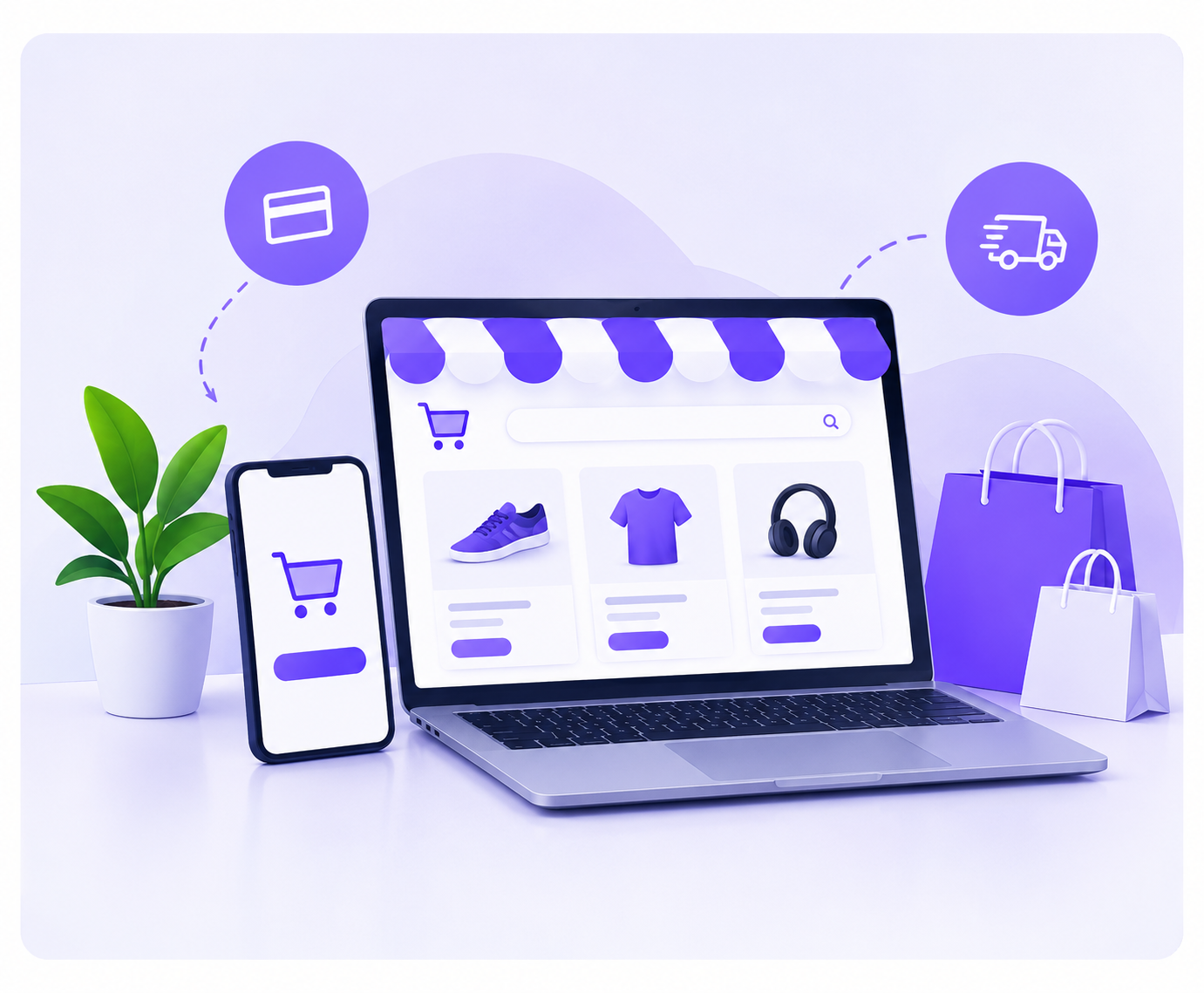
An online shop build is the process of creating an online platform for your business to display your products. Typically, you will have products listed with images, descriptions, prices, categories and order management. Depending on your requirements you may also want payment options, delivery options, user accounts and admin tools. If you are a clothing retailer you can create an online shop to showcase your different clothing ranges. If you are an electronics business you can create an online store to categorise your products and manage your customer orders. Within our e-commerce project we have two options to consider; standalone seller store or multi-seller marketplace. Your final design will depend on your business requirements.
Two Options to Build Your Online Shop
When deciding to build your online shop you will need to decide if you want to sell your own products or set up a multi-seller platform. Within our E-Commerce Seller Business Project we have two options;
Multi-Seller E-Commerce Marketplace
A multi-seller e-commerce marketplace is an online platform that allows you to have multiple independent sellers within your shop. Customers can browse products from different sellers.
The owner of the marketplace will have control over the whole platform but approved sellers can manage their own products using the tools provided. For example, as an entrepreneur you can create a marketplace for clothing retailers, electronics sellers and home product businesses to sell their products. Customers will be able to browse products from different sellers. A multi-seller marketplace could be suitable for:
-
Entrepreneurs looking to start an online marketplace business.
-
Retailers wanting to create a shared selling platform.
-
Businesses wanting to offer opportunities for other sellers to sell online.
-
Companies wanting to manage multiple independent vendors.
The owner of the marketplace may also want to consider how they make money from the marketplace. For example, charging commission on sales, seller subscription, product listing fees and sponsored product placements.
Standalone Seller Store
A standalone seller store is an independent online shop for one business/seller. This will allow you to showcase your products. For example, if you are a footwear brand you can create your own online shop to showcase your ranges, provide information and receive orders. This could be suitable for:
-
Retailers wanting to sell their own products.
-
Businesses with products wanting to sell them digitally.
-
Entrepreneurs looking to start their own online brands.
-
Established businesses looking to expand.
This will provide an independent online selling platform specific to your business and product catalogue. The final design will depend on the features you choose.
Key Features of an Online Shop
To create a successful online shop you will want to have your products organised and easy to navigate. Depending on whether you choose a standalone or multi-seller option you will have certain features.
Product Management
This will help your business manage their products. Depending on how it is set up, your administrators or authorised sellers can add products, edit descriptions, add images, change the price and manage their product information. For example, if you are a clothing retailer you can organise your products into categories by type, size, colour etc. This will make it easier for customers to know what products are available.
Product Catalogue and Categories
This will showcase your products. You can organise your products into categories. You may have categories such as:
-
Clothing and fashion
-
Electronics and accessories
-
Home and lifestyle
-
Beauty and personal care
-
Sports and fitness
The categories should reflect the products you have and what your customers may need. Having a clear product catalogue will make it easier for visitors to find relevant products.
Product Images and Descriptions
This will help customers understand what they are looking at. Having high quality images, accurate descriptions, clear pricing and relevant information will make it easier for customers to purchase. For example, if you are an electronics retailer you may want to provide product specifications, sizing, colours and warranty information. Ensure that your product information is accurate and is updated when products, prices or availability changes.
Shopping Cart and Order Management
This will provide a shopping cart for customers to select products and order management for your business. Depending on how it is set up you may have order information, customer information, order status and fulfilment. For example, customers can select products from your online shop, view their order and complete their purchase. Your business can then manage the order. When setting up your project ensure that you know what checkout, payment and order management features you will have.
Seller Dashboard
This will be most relevant if you have a multi-seller marketplace. Depending on what features you have, authorised sellers can manage their profile, products and orders. For example, sellers can update product descriptions or check order status. The marketplace owner will manage the overall platform so should ensure there are rules in place for authorised sellers, product quality, customer service and marketplace.
Marketplace Administration
If you have a multi-seller marketplace you will need to have central administration. The marketplace owner should have rules in place for seller sign ups, product listings, payments, delivery, returns and customer service. Administration features can help your owner manage your platform. If you have a standalone seller store then most of the administration will be related to your products, customers, orders and business.
Payment and Delivery Options
This is an important consideration when setting up your online shop. Depending on your target audience, business model, payment providers, delivery partners and technical features you may have a variety of options. For example, if you are a business you may want to consider cash on delivery, bank transfers or online payment options. Ensure that you know what payment and delivery options you will have before launching your store. Ensure there are clear rules in place for order fulfillment, returns and refunds.
How to Successfully Build an Online Shop
Creating an online shop requires more than just creating product pages. As an owner you will want to know what your requirements are, what business model will be suitable and organise your products. Here are some steps to get you started:
Define your Business Goals
What do you want to sell? Who are your customers? What do you want to achieve?
Choose your Business Model
Will you want a standalone seller store or a multi-seller marketplace?
Plan your Features
What essential features will you need? Product management, categories, checkout, order management, seller access and admin features.
Organise your Products
Ensure you have your product names, descriptions, images, prices, categories and relevant information ready.
Configure your Online Shop
Work with your chosen development partner to set up your online shop with the agreed project scope, design and technical features.
Test your Shopping
Ensure your product pages are easy to use, easy to navigate, mobile friendly, checkout, order management and any payment/delivery features are working.
Get Ready to Launch
Ensure you have processes in place for customer service, order fulfillment, store rules and marketing plan.
By following these steps you can ensure you have identified key requirements and get your online shop set up for your business.
Benefits of Building an Online Shop
Creating an online shop can provide many benefits:
-
Reach More Customers
-
Customers can browse your products online.
-
Easy to Browse Products
-
Customers can view product information and categories.
-
Centralised Product Information
-
You can easily manage your product descriptions, images, prices and categories.
-
Flexibility in Business Models
As an entrepreneur you can choose to have your own online shop or a multi-seller marketplace.
Order Management
Having the correct order management features can help you manage your order information.
Showcase your Business
Having your own online shop means you can show off your brand, products and information.
Expand Your Business
An online shop can be a great way to expand your product offering, reach new audiences and utilise more digital marketing. However, this will depend on the quality of your platform, product demand, customer experience, pricing, marketing strategy and business. Just because you have an online shop doesn’t mean you will make sales or grow your business.
Who Should Consider Building an Online Shop?
Many different types of businesses can consider building an online shop.
Retail Businesses
Retailers can create an online store to showcase their products.
Start Ups / Entrepreneurs
Entrepreneurs can create a digital store for their new business or consider a multi-seller marketplace.
Product Businesses
If you sell clothing, electronics, home products, accessories or other physical products you can use an online shop to manage your product catalogue.
Established Brands
Brands can consider having their own online store.
Marketplace Owners
If you are an entrepreneur and want to provide an online selling platform for multiple vendors you can consider a multi-seller marketplace.
Manufacturers / Distributors
Manufacturers and distributors can consider selling online depending on their products, distribution, target customers and requirements. Depending on your product range, target audience, business goals, resources and what features you need from your platform.
Why Choose OpenDevSol?
We offer digital services including web development and design, bespoke web applications, UI/UX design, CRM, ERP, branding and digital marketing. When considering building an online shop it is important to decide on the correct business model and what your project requirements are. Within our E-Commerce Seller Business Project we offer two options to consider; multi-seller marketplace if you want to use a shared selling platform or standalone seller store if you want to sell your own products. Before getting started it is important to discuss what features you will need, seller/admin access, product management, order processes, integrations, ownership and project scope. Whatever your requirements are, whether you want your own online store or a marketplace business we can discuss your requirements.
FAQs
What is an Online Shop Build?
An online shop build is the process of creating an online platform for your business to showcase your products. The features will depend on your business requirements.
Can I build an Online Shop for my own products?
Yes! A standalone seller store is perfect for one business/seller to sell their own products.
What is the difference between a standalone store and multi-seller marketplace?
A standalone store is for one business to sell their own products. A multi-seller marketplace allows multiple independent sellers to list their products.
What features should I have?
Typically you will have product listings, images, descriptions, categories, pricing, shopping cart, order management and admin tools. Depending on your business model you may also need payment integrations, delivery options and seller dashboards.
How can I get started with OpenDevSol?
Start by deciding what products you have, who your target audience are, what your business goals are and what features you need. Contact us to discuss if a standalone seller store or multi-seller marketplace is best for your project and what the development scope will be.
Conclusion
Creating an online shop can provide a great foundation for your business to sell their products. By deciding on the best business model, organising your products, planning your essential features and creating an easy shopping experience you can create an online selling platform for your needs. Depending on your business goals, requirements and future plans you can decide whether you would like to sell your own products using a standalone store or provide a shared selling platform using a multi-seller marketplace. Within our E-Commerce Seller Business Project we offer both a multi-seller marketplace and standalone seller store.
Contact us today to get started with building your online shop!
Website: https://opendevsol.com
Email: info@opendevsol.com
Phone: +92 311 43 33 373